Product
Use Cases
How it Works
Pricing
Developers
Login
Community showcase

Designs made by our community

Staff-picked ads, product scenes, and brand assets made in Hiding Elephant. See what production-ready creative looks like, then start your own.

AI Design for logo for a online store

logo for a online store

by @quart_elephant

AI Design for youtube purpose give me good and looking logo name is IT'S MADHU VIZAG

youtube purpose give me good and looking logo name is IT'S MADHU VIZAG

by @expre_elephant

AI Design for youtube purpose give me good and looking logo name is IT'S MADHU VIZAG

youtube purpose give me good and looking logo name is IT'S MADHU VIZAG

by @expre_elephant

AI Design for Create a bold and unique logo where the two 'E's are completely merged into one unified shape. The letters should blend seamlessly, with no visible separation, forming a singular, fluid structure. Focus on smooth curves and sharp lines to create an innovative and futuristic look. The design should be clean and minimalist, with an emphasis on symmetry and flow. The logo should have a modern, high-tech feel, suitable for a cutting-edge brand or technology company. Use a monochromatic color scheme or metallic tones (silver, chrome, or gold) to give the design a premium, sleek appearance.

Create a bold and unique logo where the two 'E's are completely merged into one unified shape. The letters should blend seamlessly, with no visible separation, forming a singular, fluid structure. Focus on smooth curves and sharp lines to create an innovative and futuristic look. The design should be clean and minimalist, with an emphasis on symmetry and flow. The logo should have a modern, high-tech feel, suitable for a cutting-edge brand or technology company. Use a monochromatic color scheme or metallic tones (silver, chrome, or gold) to give the design a premium, sleek appearance.

by @unspe_elephant

AI Design for Create a bold and unique logo where the two 'E's are completely merged into one unified shape. The letters should blend seamlessly, with no visible separation, forming a singular, fluid structure. Focus on smooth curves and sharp lines to create an innovative and futuristic look. The design should be clean and minimalist, with an emphasis on symmetry and flow. The logo should have a modern, high-tech feel, suitable for a cutting-edge brand or technology company. Use a monochromatic color scheme or metallic tones (silver, chrome, or gold) to give the design a premium, sleek appearance.

Create a bold and unique logo where the two 'E's are completely merged into one unified shape. The letters should blend seamlessly, with no visible separation, forming a singular, fluid structure. Focus on smooth curves and sharp lines to create an innovative and futuristic look. The design should be clean and minimalist, with an emphasis on symmetry and flow. The logo should have a modern, high-tech feel, suitable for a cutting-edge brand or technology company. Use a monochromatic color scheme or metallic tones (silver, chrome, or gold) to give the design a premium, sleek appearance.

by @unspe_elephant

AI Design for animation for the words 'AFENYA MEDIA' as intro to a music video

animation for the words 'AFENYA MEDIA' as intro to a music video

by @contr_elephant

AI Design for animation for the words 'AFENYA MEDIA' as intro to a music video

animation for the words 'AFENYA MEDIA' as intro to a music video

by @contr_elephant

AI Design for Greggs

Greggs

by @willi_elephant

AI Design for Greggs

Greggs

by @willi_elephant

AI Design for yellow BAckground and STC main content

yellow BAckground and STC main content

by @disco_elephant

AI Design for yellow BAckground and STC main content

yellow BAckground and STC main content

by @disco_elephant

AI Design for Red BAckground and STC main content

Red BAckground and STC main content

by @disco_elephant

AI Design for Red BAckground and STC main content

Red BAckground and STC main content

by @disco_elephant

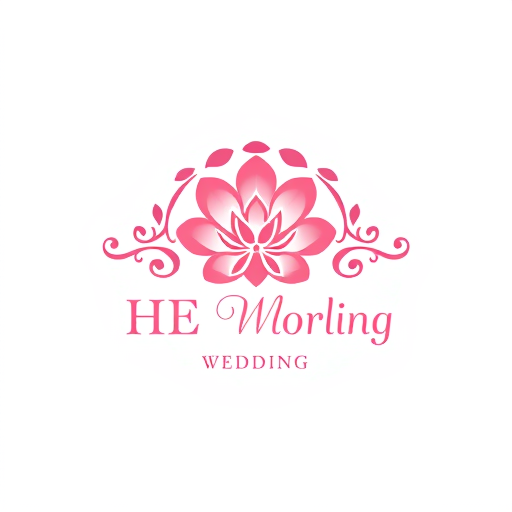
AI Design for HE logo in wedding events

HE logo in wedding events

by @leafl_elephant

AI Design for HE logo in wedding events

HE logo in wedding events

by @leafl_elephant

AI Design for from PIL import Image, ImageDraw, ImageFont# Create an image with a white backgroundwidth, height = 600, 300img = Image.new('RGB', (width, height), color=(0, 51, 102)) # Deep blue background# Initialize ImageDraw objectdraw = ImageDraw.Draw(img)# Define font and size (you can use any TTF font file you prefer)try: font = ImageFont.truetype("arial.ttf", 50) # Use a more professional font if neededexcept IOError: font = ImageFont.load_default()# Define text and positiontext = "Rohit Trades Smart"text_width, text_height = draw.textsize(text, font=font)text_x = (width - text_width) // 2text_y = (height - text_height) // 2 - 20 # Slightly above center for balance# Add text to the image (Green for "smart" text, for contrast)draw.text((text_x, text_y), text[:15], font=font, fill="white") # "Rohit"draw.text((text_x + 160, text_y), text[15:], font=font, fill="lime") # "Trades Smart"# Adding an upward arrow symbol for the trading themearrow_color = (255, 223, 0) # Gold colordraw.line((width // 3, height - 50, width // 3 + 40, height - 90), fill=arrow_color, width=6) # Left part of the arrowdraw.line((width // 3, height - 50, width // 3 - 40, height - 90), fill=arrow_color, width=6) # Right part of the arrowdraw.line((width // 3 - 40, height - 90, width // 3 + 40, height - 90), fill=arrow_color, width=6) # Horizontal line of the arrowhead# Save the imageimg.save('rohit_trades_smart_logo.png')# Show the imageimg.show()

from PIL import Image, ImageDraw, ImageFont# Create an image with a white backgroundwidth, height = 600, 300img = Image.new('RGB', (width, height), color=(0, 51, 102)) # Deep blue background# Initialize ImageDraw objectdraw = ImageDraw.Draw(img)# Define font and size (you can use any TTF font file you prefer)try: font = ImageFont.truetype("arial.ttf", 50) # Use a more professional font if neededexcept IOError: font = ImageFont.load_default()# Define text and positiontext = "Rohit Trades Smart"text_width, text_height = draw.textsize(text, font=font)text_x = (width - text_width) // 2text_y = (height - text_height) // 2 - 20 # Slightly above center for balance# Add text to the image (Green for "smart" text, for contrast)draw.text((text_x, text_y), text[:15], font=font, fill="white") # "Rohit"draw.text((text_x + 160, text_y), text[15:], font=font, fill="lime") # "Trades Smart"# Adding an upward arrow symbol for the trading themearrow_color = (255, 223, 0) # Gold colordraw.line((width // 3, height - 50, width // 3 + 40, height - 90), fill=arrow_color, width=6) # Left part of the arrowdraw.line((width // 3, height - 50, width // 3 - 40, height - 90), fill=arrow_color, width=6) # Right part of the arrowdraw.line((width // 3 - 40, height - 90, width // 3 + 40, height - 90), fill=arrow_color, width=6) # Horizontal line of the arrowhead# Save the imageimg.save('rohit_trades_smart_logo.png')# Show the imageimg.show()

by @under_elephant
AI Design for from PIL import Image, ImageDraw, ImageFont# Create an image with a white backgroundwidth, height = 600, 300img = Image.new('RGB', (width, height), color=(0, 51, 102)) # Deep blue background# Initialize ImageDraw objectdraw = ImageDraw.Draw(img)# Define font and size (you can use any TTF font file you prefer)try: font = ImageFont.truetype("arial.ttf", 50) # Use a more professional font if neededexcept IOError: font = ImageFont.load_default()# Define text and positiontext = "Rohit Trades Smart"text_width, text_height = draw.textsize(text, font=font)text_x = (width - text_width) // 2text_y = (height - text_height) // 2 - 20 # Slightly above center for balance# Add text to the image (Green for "smart" text, for contrast)draw.text((text_x, text_y), text[:15], font=font, fill="white") # "Rohit"draw.text((text_x + 160, text_y), text[15:], font=font, fill="lime") # "Trades Smart"# Adding an upward arrow symbol for the trading themearrow_color = (255, 223, 0) # Gold colordraw.line((width // 3, height - 50, width // 3 + 40, height - 90), fill=arrow_color, width=6) # Left part of the arrowdraw.line((width // 3, height - 50, width // 3 - 40, height - 90), fill=arrow_color, width=6) # Right part of the arrowdraw.line((width // 3 - 40, height - 90, width // 3 + 40, height - 90), fill=arrow_color, width=6) # Horizontal line of the arrowhead# Save the imageimg.save('rohit_trades_smart_logo.png')# Show the imageimg.show()

from PIL import Image, ImageDraw, ImageFont# Create an image with a white backgroundwidth, height = 600, 300img = Image.new('RGB', (width, height), color=(0, 51, 102)) # Deep blue background# Initialize ImageDraw objectdraw = ImageDraw.Draw(img)# Define font and size (you can use any TTF font file you prefer)try: font = ImageFont.truetype("arial.ttf", 50) # Use a more professional font if neededexcept IOError: font = ImageFont.load_default()# Define text and positiontext = "Rohit Trades Smart"text_width, text_height = draw.textsize(text, font=font)text_x = (width - text_width) // 2text_y = (height - text_height) // 2 - 20 # Slightly above center for balance# Add text to the image (Green for "smart" text, for contrast)draw.text((text_x, text_y), text[:15], font=font, fill="white") # "Rohit"draw.text((text_x + 160, text_y), text[15:], font=font, fill="lime") # "Trades Smart"# Adding an upward arrow symbol for the trading themearrow_color = (255, 223, 0) # Gold colordraw.line((width // 3, height - 50, width // 3 + 40, height - 90), fill=arrow_color, width=6) # Left part of the arrowdraw.line((width // 3, height - 50, width // 3 - 40, height - 90), fill=arrow_color, width=6) # Right part of the arrowdraw.line((width // 3 - 40, height - 90, width // 3 + 40, height - 90), fill=arrow_color, width=6) # Horizontal line of the arrowhead# Save the imageimg.save('rohit_trades_smart_logo.png')# Show the imageimg.show()

by @under_elephant

AI Design for from PIL import Image, ImageDraw, ImageFont# Create an image with a white backgroundwidth, height = 600, 300img = Image.new('RGB', (width, height), color=(0, 51, 102)) # Deep blue background# Initialize ImageDraw objectdraw = ImageDraw.Draw(img)# Define font and size (you can use any TTF font file you prefer)try: font = ImageFont.truetype("arial.ttf", 50) # Use a more professional font if neededexcept IOError: font = ImageFont.load_default()# Define text and positiontext = "Rohit Trades Smart"text_width, text_height = draw.textsize(text, font=font)text_x = (width - text_width) // 2text_y = (height - text_height) // 2 - 20 # Slightly above center for balance# Add text to the image (Green for "smart" text, for contrast)draw.text((text_x, text_y), text[:15], font=font, fill="white") # "Rohit"draw.text((text_x + 160, text_y), text[15:], font=font, fill="lime") # "Trades Smart"# Adding an upward arrow symbol for the trading themearrow_color = (255, 223, 0) # Gold colordraw.line((width // 3, height - 50, width // 3 + 40, height - 90), fill=arrow_color, width=6) # Left part of the arrowdraw.line((width // 3, height - 50, width // 3 - 40, height - 90), fill=arrow_color, width=6) # Right part of the arrowdraw.line((width // 3 - 40, height - 90, width // 3 + 40, height - 90), fill=arrow_color, width=6) # Horizontal line of the arrowhead# Save the imageimg.save('rohit_trades_smart_logo.png')# Show the imageimg.show()

from PIL import Image, ImageDraw, ImageFont# Create an image with a white backgroundwidth, height = 600, 300img = Image.new('RGB', (width, height), color=(0, 51, 102)) # Deep blue background# Initialize ImageDraw objectdraw = ImageDraw.Draw(img)# Define font and size (you can use any TTF font file you prefer)try: font = ImageFont.truetype("arial.ttf", 50) # Use a more professional font if neededexcept IOError: font = ImageFont.load_default()# Define text and positiontext = "Rohit Trades Smart"text_width, text_height = draw.textsize(text, font=font)text_x = (width - text_width) // 2text_y = (height - text_height) // 2 - 20 # Slightly above center for balance# Add text to the image (Green for "smart" text, for contrast)draw.text((text_x, text_y), text[:15], font=font, fill="white") # "Rohit"draw.text((text_x + 160, text_y), text[15:], font=font, fill="lime") # "Trades Smart"# Adding an upward arrow symbol for the trading themearrow_color = (255, 223, 0) # Gold colordraw.line((width // 3, height - 50, width // 3 + 40, height - 90), fill=arrow_color, width=6) # Left part of the arrowdraw.line((width // 3, height - 50, width // 3 - 40, height - 90), fill=arrow_color, width=6) # Right part of the arrowdraw.line((width // 3 - 40, height - 90, width // 3 + 40, height - 90), fill=arrow_color, width=6) # Horizontal line of the arrowhead# Save the imageimg.save('rohit_trades_smart_logo.png')# Show the imageimg.show()

by @under_elephant

AI Design for from PIL import Image, ImageDraw, ImageFont# Create an image with a white backgroundwidth, height = 600, 300img = Image.new('RGB', (width, height), color=(0, 51, 102)) # Deep blue background# Initialize ImageDraw objectdraw = ImageDraw.Draw(img)# Define font and size (you can use any TTF font file you prefer)try: font = ImageFont.truetype("arial.ttf", 50) # Use a more professional font if neededexcept IOError: font = ImageFont.load_default()# Define text and positiontext = "Rohit Trades Smart"text_width, text_height = draw.textsize(text, font=font)text_x = (width - text_width) // 2text_y = (height - text_height) // 2 - 20 # Slightly above center for balance# Add text to the image (Green for "smart" text, for contrast)draw.text((text_x, text_y), text[:15], font=font, fill="white") # "Rohit"draw.text((text_x + 160, text_y), text[15:], font=font, fill="lime") # "Trades Smart"# Adding an upward arrow symbol for the trading themearrow_color = (255, 223, 0) # Gold colordraw.line((width // 3, height - 50, width // 3 + 40, height - 90), fill=arrow_color, width=6) # Left part of the arrowdraw.line((width // 3, height - 50, width // 3 - 40, height - 90), fill=arrow_color, width=6) # Right part of the arrowdraw.line((width // 3 - 40, height - 90, width // 3 + 40, height - 90), fill=arrow_color, width=6) # Horizontal line of the arrowhead# Save the imageimg.save('rohit_trades_smart_logo.png')# Show the imageimg.show()

from PIL import Image, ImageDraw, ImageFont# Create an image with a white backgroundwidth, height = 600, 300img = Image.new('RGB', (width, height), color=(0, 51, 102)) # Deep blue background# Initialize ImageDraw objectdraw = ImageDraw.Draw(img)# Define font and size (you can use any TTF font file you prefer)try: font = ImageFont.truetype("arial.ttf", 50) # Use a more professional font if neededexcept IOError: font = ImageFont.load_default()# Define text and positiontext = "Rohit Trades Smart"text_width, text_height = draw.textsize(text, font=font)text_x = (width - text_width) // 2text_y = (height - text_height) // 2 - 20 # Slightly above center for balance# Add text to the image (Green for "smart" text, for contrast)draw.text((text_x, text_y), text[:15], font=font, fill="white") # "Rohit"draw.text((text_x + 160, text_y), text[15:], font=font, fill="lime") # "Trades Smart"# Adding an upward arrow symbol for the trading themearrow_color = (255, 223, 0) # Gold colordraw.line((width // 3, height - 50, width // 3 + 40, height - 90), fill=arrow_color, width=6) # Left part of the arrowdraw.line((width // 3, height - 50, width // 3 - 40, height - 90), fill=arrow_color, width=6) # Right part of the arrowdraw.line((width // 3 - 40, height - 90, width // 3 + 40, height - 90), fill=arrow_color, width=6) # Horizontal line of the arrowhead# Save the imageimg.save('rohit_trades_smart_logo.png')# Show the imageimg.show()

by @under_elephant

AI Design for from PIL import Image, ImageDraw, ImageFont# Create an image with a white backgroundwidth, height = 600, 300img = Image.new('RGB', (width, height), color=(0, 51, 102)) # Deep blue background# Initialize ImageDraw objectdraw = ImageDraw.Draw(img)# Define font and size (you can use any TTF font file you prefer)try: font = ImageFont.truetype("arial.ttf", 50) # Use a more professional font if neededexcept IOError: font = ImageFont.load_default()# Define text and positiontext = "Rohit Trades Smart"text_width, text_height = draw.textsize(text, font=font)text_x = (width - text_width) // 2text_y = (height - text_height) // 2 - 20 # Slightly above center for balance# Add text to the image (Green for "smart" text, for contrast)draw.text((text_x, text_y), text[:15], font=font, fill="white") # "Rohit"draw.text((text_x + 160, text_y), text[15:], font=font, fill="lime") # "Trades Smart"# Adding an upward arrow symbol for the trading themearrow_color = (255, 223, 0) # Gold colordraw.line((width // 3, height - 50, width // 3 + 40, height - 90), fill=arrow_color, width=6) # Left part of the arrowdraw.line((width // 3, height - 50, width // 3 - 40, height - 90), fill=arrow_color, width=6) # Right part of the arrowdraw.line((width // 3 - 40, height - 90, width // 3 + 40, height - 90), fill=arrow_color, width=6) # Horizontal line of the arrowhead# Save the imageimg.save('rohit_trades_smart_logo.png')# Show the imageimg.show()

from PIL import Image, ImageDraw, ImageFont# Create an image with a white backgroundwidth, height = 600, 300img = Image.new('RGB', (width, height), color=(0, 51, 102)) # Deep blue background# Initialize ImageDraw objectdraw = ImageDraw.Draw(img)# Define font and size (you can use any TTF font file you prefer)try: font = ImageFont.truetype("arial.ttf", 50) # Use a more professional font if neededexcept IOError: font = ImageFont.load_default()# Define text and positiontext = "Rohit Trades Smart"text_width, text_height = draw.textsize(text, font=font)text_x = (width - text_width) // 2text_y = (height - text_height) // 2 - 20 # Slightly above center for balance# Add text to the image (Green for "smart" text, for contrast)draw.text((text_x, text_y), text[:15], font=font, fill="white") # "Rohit"draw.text((text_x + 160, text_y), text[15:], font=font, fill="lime") # "Trades Smart"# Adding an upward arrow symbol for the trading themearrow_color = (255, 223, 0) # Gold colordraw.line((width // 3, height - 50, width // 3 + 40, height - 90), fill=arrow_color, width=6) # Left part of the arrowdraw.line((width // 3, height - 50, width // 3 - 40, height - 90), fill=arrow_color, width=6) # Right part of the arrowdraw.line((width // 3 - 40, height - 90, width // 3 + 40, height - 90), fill=arrow_color, width=6) # Horizontal line of the arrowhead# Save the imageimg.save('rohit_trades_smart_logo.png')# Show the imageimg.show()

by @under_elephant

AI Design for from PIL import Image, ImageDraw, ImageFont# Create an image with a white backgroundwidth, height = 600, 300img = Image.new('RGB', (width, height), color=(0, 51, 102)) # Deep blue background# Initialize ImageDraw objectdraw = ImageDraw.Draw(img)# Define font and size (you can use any TTF font file you prefer)try: font = ImageFont.truetype("arial.ttf", 50) # Use a more professional font if neededexcept IOError: font = ImageFont.load_default()# Define text and positiontext = "Rohit Trades Smart"text_width, text_height = draw.textsize(text, font=font)text_x = (width - text_width) // 2text_y = (height - text_height) // 2 - 20 # Slightly above center for balance# Add text to the image (Green for "smart" text, for contrast)draw.text((text_x, text_y), text[:15], font=font, fill="white") # "Rohit"draw.text((text_x + 160, text_y), text[15:], font=font, fill="lime") # "Trades Smart"# Adding an upward arrow symbol for the trading themearrow_color = (255, 223, 0) # Gold colordraw.line((width // 3, height - 50, width // 3 + 40, height - 90), fill=arrow_color, width=6) # Left part of the arrowdraw.line((width // 3, height - 50, width // 3 - 40, height - 90), fill=arrow_color, width=6) # Right part of the arrowdraw.line((width // 3 - 40, height - 90, width // 3 + 40, height - 90), fill=arrow_color, width=6) # Horizontal line of the arrowhead# Save the imageimg.save('rohit_trades_smart_logo.png')# Show the imageimg.show()

from PIL import Image, ImageDraw, ImageFont# Create an image with a white backgroundwidth, height = 600, 300img = Image.new('RGB', (width, height), color=(0, 51, 102)) # Deep blue background# Initialize ImageDraw objectdraw = ImageDraw.Draw(img)# Define font and size (you can use any TTF font file you prefer)try: font = ImageFont.truetype("arial.ttf", 50) # Use a more professional font if neededexcept IOError: font = ImageFont.load_default()# Define text and positiontext = "Rohit Trades Smart"text_width, text_height = draw.textsize(text, font=font)text_x = (width - text_width) // 2text_y = (height - text_height) // 2 - 20 # Slightly above center for balance# Add text to the image (Green for "smart" text, for contrast)draw.text((text_x, text_y), text[:15], font=font, fill="white") # "Rohit"draw.text((text_x + 160, text_y), text[15:], font=font, fill="lime") # "Trades Smart"# Adding an upward arrow symbol for the trading themearrow_color = (255, 223, 0) # Gold colordraw.line((width // 3, height - 50, width // 3 + 40, height - 90), fill=arrow_color, width=6) # Left part of the arrowdraw.line((width // 3, height - 50, width // 3 - 40, height - 90), fill=arrow_color, width=6) # Right part of the arrowdraw.line((width // 3 - 40, height - 90, width // 3 + 40, height - 90), fill=arrow_color, width=6) # Horizontal line of the arrowhead# Save the imageimg.save('rohit_trades_smart_logo.png')# Show the imageimg.show()

by @under_elephant

AI Design for from PIL import Image, ImageDraw, ImageFont # Create an image with a white background width, height = 600, 300 img = Image.new('RGB', (width, height), color='white') # Initialize ImageDraw object draw = ImageDraw.Draw(img) # Define font and size try: # Load a font (default if not available) font = ImageFont.truetype("arial.ttf", 50) except IOError: font = ImageFont.load_default() # Define text and position text = "Rohit Trades Smart" text_width, text_height = draw.textsize(text, font=font) text_x = (width - text_width) // 2 text_y = (height - text_height) // 2 # Add text to the image draw.text((text_x, text_y), text, font=font, fill='green') # Add a simple upward arrow to represent trading arrow_color = (0, 128, 0) # Green color for the arrow draw.line((100, height - 50, 150, height - 100), fill=arrow_color, width=5) # Left part of the arrow draw.line((100, height - 50, 50, height - 100), fill=arrow_color, width=5) # Right part of the arrow draw.line((50, height - 100, 150, height - 100), fill=arrow_color, width=5) # Arrowhead # Save the image img.save('rohit_trades_smart_logo.png') # Show the image img.show()

from PIL import Image, ImageDraw, ImageFont # Create an image with a white background width, height = 600, 300 img = Image.new('RGB', (width, height), color='white') # Initialize ImageDraw object draw = ImageDraw.Draw(img) # Define font and size try: # Load a font (default if not available) font = ImageFont.truetype("arial.ttf", 50) except IOError: font = ImageFont.load_default() # Define text and position text = "Rohit Trades Smart" text_width, text_height = draw.textsize(text, font=font) text_x = (width - text_width) // 2 text_y = (height - text_height) // 2 # Add text to the image draw.text((text_x, text_y), text, font=font, fill='green') # Add a simple upward arrow to represent trading arrow_color = (0, 128, 0) # Green color for the arrow draw.line((100, height - 50, 150, height - 100), fill=arrow_color, width=5) # Left part of the arrow draw.line((100, height - 50, 50, height - 100), fill=arrow_color, width=5) # Right part of the arrow draw.line((50, height - 100, 150, height - 100), fill=arrow_color, width=5) # Arrowhead # Save the image img.save('rohit_trades_smart_logo.png') # Show the image img.show()

by @under_elephant
AI Design for from PIL import Image, ImageDraw, ImageFont # Create an image with a white background width, height = 600, 300 img = Image.new('RGB', (width, height), color='white') # Initialize ImageDraw object draw = ImageDraw.Draw(img) # Define font and size try: # Load a font (default if not available) font = ImageFont.truetype("arial.ttf", 50) except IOError: font = ImageFont.load_default() # Define text and position text = "Rohit Trades Smart" text_width, text_height = draw.textsize(text, font=font) text_x = (width - text_width) // 2 text_y = (height - text_height) // 2 # Add text to the image draw.text((text_x, text_y), text, font=font, fill='green') # Add a simple upward arrow to represent trading arrow_color = (0, 128, 0) # Green color for the arrow draw.line((100, height - 50, 150, height - 100), fill=arrow_color, width=5) # Left part of the arrow draw.line((100, height - 50, 50, height - 100), fill=arrow_color, width=5) # Right part of the arrow draw.line((50, height - 100, 150, height - 100), fill=arrow_color, width=5) # Arrowhead # Save the image img.save('rohit_trades_smart_logo.png') # Show the image img.show()

from PIL import Image, ImageDraw, ImageFont # Create an image with a white background width, height = 600, 300 img = Image.new('RGB', (width, height), color='white') # Initialize ImageDraw object draw = ImageDraw.Draw(img) # Define font and size try: # Load a font (default if not available) font = ImageFont.truetype("arial.ttf", 50) except IOError: font = ImageFont.load_default() # Define text and position text = "Rohit Trades Smart" text_width, text_height = draw.textsize(text, font=font) text_x = (width - text_width) // 2 text_y = (height - text_height) // 2 # Add text to the image draw.text((text_x, text_y), text, font=font, fill='green') # Add a simple upward arrow to represent trading arrow_color = (0, 128, 0) # Green color for the arrow draw.line((100, height - 50, 150, height - 100), fill=arrow_color, width=5) # Left part of the arrow draw.line((100, height - 50, 50, height - 100), fill=arrow_color, width=5) # Right part of the arrow draw.line((50, height - 100, 150, height - 100), fill=arrow_color, width=5) # Arrowhead # Save the image img.save('rohit_trades_smart_logo.png') # Show the image img.show()

by @under_elephant
AI Design for from PIL import Image, ImageDraw, ImageFont # Create an image with a white background width, height = 600, 300 img = Image.new('RGB', (width, height), color='white') # Initialize ImageDraw object draw = ImageDraw.Draw(img) # Define font and size try: # Load a font (default if not available) font = ImageFont.truetype("arial.ttf", 50) except IOError: font = ImageFont.load_default() # Define text and position text = "Rohit Trades Smart" text_width, text_height = draw.textsize(text, font=font) text_x = (width - text_width) // 2 text_y = (height - text_height) // 2 # Add text to the image draw.text((text_x, text_y), text, font=font, fill='green') # Add a simple upward arrow to represent trading arrow_color = (0, 128, 0) # Green color for the arrow draw.line((100, height - 50, 150, height - 100), fill=arrow_color, width=5) # Left part of the arrow draw.line((100, height - 50, 50, height - 100), fill=arrow_color, width=5) # Right part of the arrow draw.line((50, height - 100, 150, height - 100), fill=arrow_color, width=5) # Arrowhead # Save the image img.save('rohit_trades_smart_logo.png') # Show the image img.show()

from PIL import Image, ImageDraw, ImageFont # Create an image with a white background width, height = 600, 300 img = Image.new('RGB', (width, height), color='white') # Initialize ImageDraw object draw = ImageDraw.Draw(img) # Define font and size try: # Load a font (default if not available) font = ImageFont.truetype("arial.ttf", 50) except IOError: font = ImageFont.load_default() # Define text and position text = "Rohit Trades Smart" text_width, text_height = draw.textsize(text, font=font) text_x = (width - text_width) // 2 text_y = (height - text_height) // 2 # Add text to the image draw.text((text_x, text_y), text, font=font, fill='green') # Add a simple upward arrow to represent trading arrow_color = (0, 128, 0) # Green color for the arrow draw.line((100, height - 50, 150, height - 100), fill=arrow_color, width=5) # Left part of the arrow draw.line((100, height - 50, 50, height - 100), fill=arrow_color, width=5) # Right part of the arrow draw.line((50, height - 100, 150, height - 100), fill=arrow_color, width=5) # Arrowhead # Save the image img.save('rohit_trades_smart_logo.png') # Show the image img.show()

by @under_elephant

AI Design for from PIL import Image, ImageDraw, ImageFont # Create an image with a white background width, height = 600, 300 img = Image.new('RGB', (width, height), color='white') # Initialize ImageDraw object draw = ImageDraw.Draw(img) # Define font and size try: # Load a font (default if not available) font = ImageFont.truetype("arial.ttf", 50) except IOError: font = ImageFont.load_default() # Define text and position text = "Rohit Trades Smart" text_width, text_height = draw.textsize(text, font=font) text_x = (width - text_width) // 2 text_y = (height - text_height) // 2 # Add text to the image draw.text((text_x, text_y), text, font=font, fill='green') # Add a simple upward arrow to represent trading arrow_color = (0, 128, 0) # Green color for the arrow draw.line((100, height - 50, 150, height - 100), fill=arrow_color, width=5) # Left part of the arrow draw.line((100, height - 50, 50, height - 100), fill=arrow_color, width=5) # Right part of the arrow draw.line((50, height - 100, 150, height - 100), fill=arrow_color, width=5) # Arrowhead # Save the image img.save('rohit_trades_smart_logo.png') # Show the image img.show()

from PIL import Image, ImageDraw, ImageFont # Create an image with a white background width, height = 600, 300 img = Image.new('RGB', (width, height), color='white') # Initialize ImageDraw object draw = ImageDraw.Draw(img) # Define font and size try: # Load a font (default if not available) font = ImageFont.truetype("arial.ttf", 50) except IOError: font = ImageFont.load_default() # Define text and position text = "Rohit Trades Smart" text_width, text_height = draw.textsize(text, font=font) text_x = (width - text_width) // 2 text_y = (height - text_height) // 2 # Add text to the image draw.text((text_x, text_y), text, font=font, fill='green') # Add a simple upward arrow to represent trading arrow_color = (0, 128, 0) # Green color for the arrow draw.line((100, height - 50, 150, height - 100), fill=arrow_color, width=5) # Left part of the arrow draw.line((100, height - 50, 50, height - 100), fill=arrow_color, width=5) # Right part of the arrow draw.line((50, height - 100, 150, height - 100), fill=arrow_color, width=5) # Arrowhead # Save the image img.save('rohit_trades_smart_logo.png') # Show the image img.show()

by @under_elephant
AI Design for HE logo in flower wedding

HE logo in flower wedding

by @leafl_elephant

AI Design for HE logo in flower wedding

HE logo in flower wedding

by @leafl_elephant

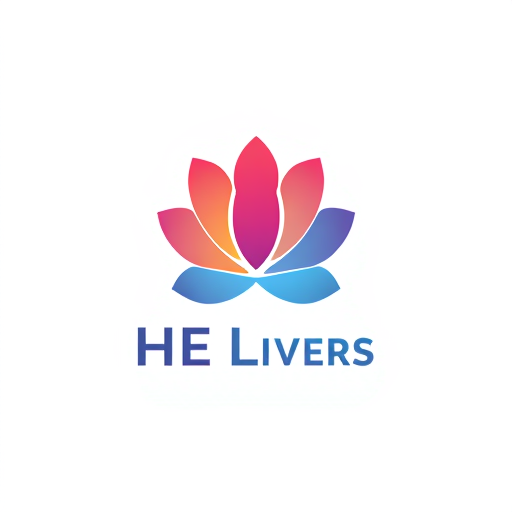
AI Design for HE logo in flower typ

HE logo in flower typ

by @leafl_elephant

AI Design for HE logo in flower typ

HE logo in flower typ

by @leafl_elephant

AI Design for Design a minimalist yet bold logo that creatively merges the letters 'EE' into one cohesive symbol. The two E's should be seamlessly integrated, forming a sleek and modern shape, with one E subtly flowing into the other. Emphasize elegance with smooth, curved lines or clean, sharp angles for a sophisticated look. Focus on symmetry and balance, while making sure the logo feels dynamic and professional. Use a refined color palette—monochrome black, white, or a mix of dark and metallic shades like silver or gold for an upscale, modern feel. The logo should represent innovation, strength, and professionalism, suitable for a premium tech or corporate brand."Let me know if this works better or if you want further adjustments!

Design a minimalist yet bold logo that creatively merges the letters 'EE' into one cohesive symbol. The two E's should be seamlessly integrated, forming a sleek and modern shape, with one E subtly flowing into the other. Emphasize elegance with smooth, curved lines or clean, sharp angles for a sophisticated look. Focus on symmetry and balance, while making sure the logo feels dynamic and professional. Use a refined color palette—monochrome black, white, or a mix of dark and metallic shades like silver or gold for an upscale, modern feel. The logo should represent innovation, strength, and professionalism, suitable for a premium tech or corporate brand."Let me know if this works better or if you want further adjustments!

by @unspe_elephant

AI Design for Design a minimalist yet bold logo that creatively merges the letters 'EE' into one cohesive symbol. The two E's should be seamlessly integrated, forming a sleek and modern shape, with one E subtly flowing into the other. Emphasize elegance with smooth, curved lines or clean, sharp angles for a sophisticated look. Focus on symmetry and balance, while making sure the logo feels dynamic and professional. Use a refined color palette—monochrome black, white, or a mix of dark and metallic shades like silver or gold for an upscale, modern feel. The logo should represent innovation, strength, and professionalism, suitable for a premium tech or corporate brand."Let me know if this works better or if you want further adjustments!

Design a minimalist yet bold logo that creatively merges the letters 'EE' into one cohesive symbol. The two E's should be seamlessly integrated, forming a sleek and modern shape, with one E subtly flowing into the other. Emphasize elegance with smooth, curved lines or clean, sharp angles for a sophisticated look. Focus on symmetry and balance, while making sure the logo feels dynamic and professional. Use a refined color palette—monochrome black, white, or a mix of dark and metallic shades like silver or gold for an upscale, modern feel. The logo should represent innovation, strength, and professionalism, suitable for a premium tech or corporate brand."Let me know if this works better or if you want further adjustments!

by @unspe_elephant

AI Design for HE logo

HE logo

by @leafl_elephant

AI Design for HE logo

HE logo

by @leafl_elephant

AI Design for HE event logo

HE event logo

by @leafl_elephant

AI Design for HE event logo

HE event logo

by @leafl_elephant

AI Design for Mobilya Studio

Mobilya Studio

by @itine_elephant

AI Design for Mobilya Studio

Mobilya Studio

by @itine_elephant

AI Design for Design a dynamic and futuristic logo using the letters 'EE' that are creatively merged. The two E's should be connected in an abstract and fluid way, as if they are part of a single, continuous form. Consider using geometric shapes or a combination of sharp angles and smooth curves to create a sense of motion and innovation. The color scheme should include vibrant tones like electric blue, neon green, or gradient effects, giving it a high-tech, digital feel. The logo should look sleek and forward-thinking, perfect for a cutting-edge technology or design brand."Let me know if you'd like to adjust anything

Design a dynamic and futuristic logo using the letters 'EE' that are creatively merged. The two E's should be connected in an abstract and fluid way, as if they are part of a single, continuous form. Consider using geometric shapes or a combination of sharp angles and smooth curves to create a sense of motion and innovation. The color scheme should include vibrant tones like electric blue, neon green, or gradient effects, giving it a high-tech, digital feel. The logo should look sleek and forward-thinking, perfect for a cutting-edge technology or design brand."Let me know if you'd like to adjust anything

by @unspe_elephant

AI Design for Design a dynamic and futuristic logo using the letters 'EE' that are creatively merged. The two E's should be connected in an abstract and fluid way, as if they are part of a single, continuous form. Consider using geometric shapes or a combination of sharp angles and smooth curves to create a sense of motion and innovation. The color scheme should include vibrant tones like electric blue, neon green, or gradient effects, giving it a high-tech, digital feel. The logo should look sleek and forward-thinking, perfect for a cutting-edge technology or design brand."Let me know if you'd like to adjust anything

Design a dynamic and futuristic logo using the letters 'EE' that are creatively merged. The two E's should be connected in an abstract and fluid way, as if they are part of a single, continuous form. Consider using geometric shapes or a combination of sharp angles and smooth curves to create a sense of motion and innovation. The color scheme should include vibrant tones like electric blue, neon green, or gradient effects, giving it a high-tech, digital feel. The logo should look sleek and forward-thinking, perfect for a cutting-edge technology or design brand."Let me know if you'd like to adjust anything

by @unspe_elephant

AI Design for Design a logo on the name of AJA using the Trident, more astatic, use fire element

Design a logo on the name of AJA using the Trident, more astatic, use fire element

by @fello_elephant

AI Design for Design a logo on the name of AJA using the Trident, more astatic, use fire element

Design a logo on the name of AJA using the Trident, more astatic, use fire element

by @fello_elephant

AI Design for sk photography

sk photography

by @horri_elephant

AI Design for sk photography

sk photography

by @horri_elephant

AI Design for Design a logo on the name of AJA using the Trident, more astatic, use fire element

Design a logo on the name of AJA using the Trident, more astatic, use fire element

by @fello_elephant

AI Design for Design a logo on the name of AJA using the Trident, more astatic, use fire element

Design a logo on the name of AJA using the Trident, more astatic, use fire element

by @fello_elephant

AI Design for Design a logo on the name of AJA using the Trident, more astatic, use fire element

Design a logo on the name of AJA using the Trident, more astatic, use fire element

by @fello_elephant

AI Design for Design a logo on the name of AJA using the Trident, more astatic, use fire element

Design a logo on the name of AJA using the Trident, more astatic, use fire element

by @fello_elephant

AI Design for Design a logo on the name of AJA using the Trident, more astatic, unique

Design a logo on the name of AJA using the Trident, more astatic, unique

by @fello_elephant

AI Design for Design a logo on the name of AJA using the Trident, more astatic, unique

Design a logo on the name of AJA using the Trident, more astatic, unique

by @fello_elephant

AI Design for Design a logo on the name of AJA using the Trident, more astatic, unique

Design a logo on the name of AJA using the Trident, more astatic, unique

by @fello_elephant

AI Design for Design a logo on the name of AJA using the Trident, more astatic, unique

Design a logo on the name of AJA using the Trident, more astatic, unique

by @fello_elephant

AI Design for Design a logo on the name of AJA using the Trident, more astatic, unique

Design a logo on the name of AJA using the Trident, more astatic, unique

by @fello_elephant

AI Design for Design a logo on the name of AJA using the Trident, more astatic, unique

Design a logo on the name of AJA using the Trident, more astatic, unique

by @fello_elephant

AI Design for  Create a modern and sleek logo design that features the letters 'EE' in a creative, merged style. The two E's should be intertwined or overlapping in a harmonious and visually striking way. Use bold, contemporary fonts and a minimalist color palette—perhaps metallic tones like silver, gold, or a clean, professional blue. The design should convey innovation and professionalism, with sharp lines and smooth curves blending together to form the 'EE' in a seamless manner. The overall effect should feel balanced, strong, and dynamic, suitable for a corporate or tech brand."

Create a modern and sleek logo design that features the letters 'EE' in a creative, merged style. The two E's should be intertwined or overlapping in a harmonious and visually striking way. Use bold, contemporary fonts and a minimalist color palette—perhaps metallic tones like silver, gold, or a clean, professional blue. The design should convey innovation and professionalism, with sharp lines and smooth curves blending together to form the 'EE' in a seamless manner. The overall effect should feel balanced, strong, and dynamic, suitable for a corporate or tech brand."

by @unspe_elephant

AI Design for  Create a modern and sleek logo design that features the letters 'EE' in a creative, merged style. The two E's should be intertwined or overlapping in a harmonious and visually striking way. Use bold, contemporary fonts and a minimalist color palette—perhaps metallic tones like silver, gold, or a clean, professional blue. The design should convey innovation and professionalism, with sharp lines and smooth curves blending together to form the 'EE' in a seamless manner. The overall effect should feel balanced, strong, and dynamic, suitable for a corporate or tech brand."

Create a modern and sleek logo design that features the letters 'EE' in a creative, merged style. The two E's should be intertwined or overlapping in a harmonious and visually striking way. Use bold, contemporary fonts and a minimalist color palette—perhaps metallic tones like silver, gold, or a clean, professional blue. The design should convey innovation and professionalism, with sharp lines and smooth curves blending together to form the 'EE' in a seamless manner. The overall effect should feel balanced, strong, and dynamic, suitable for a corporate or tech brand."

by @unspe_elephant

AI Design for Design a logo on the name of AJA using the Trident, more astatic, unique

Design a logo on the name of AJA using the Trident, more astatic, unique

by @fello_elephant

AI Design for Design a logo on the name of AJA using the Trident, more astatic, unique

Design a logo on the name of AJA using the Trident, more astatic, unique

by @fello_elephant

AI Design for Design a logo on the name of AJA using the Trident, more astatic

Design a logo on the name of AJA using the Trident, more astatic

by @fello_elephant

AI Design for Design a logo on the name of AJA using the Trident, more astatic

Design a logo on the name of AJA using the Trident, more astatic

by @fello_elephant

AI Design for Design a logo on the name of AJA using the Trident, more astatic

Design a logo on the name of AJA using the Trident, more astatic

by @fello_elephant

  • 1
  • 2
  • 3
  • ...
  • 6353
  • 6354
  • 6355
  • 6356
  • 6357
  • ...
  • 6712
  • 6713
  • 6714

What's next?Explore more features
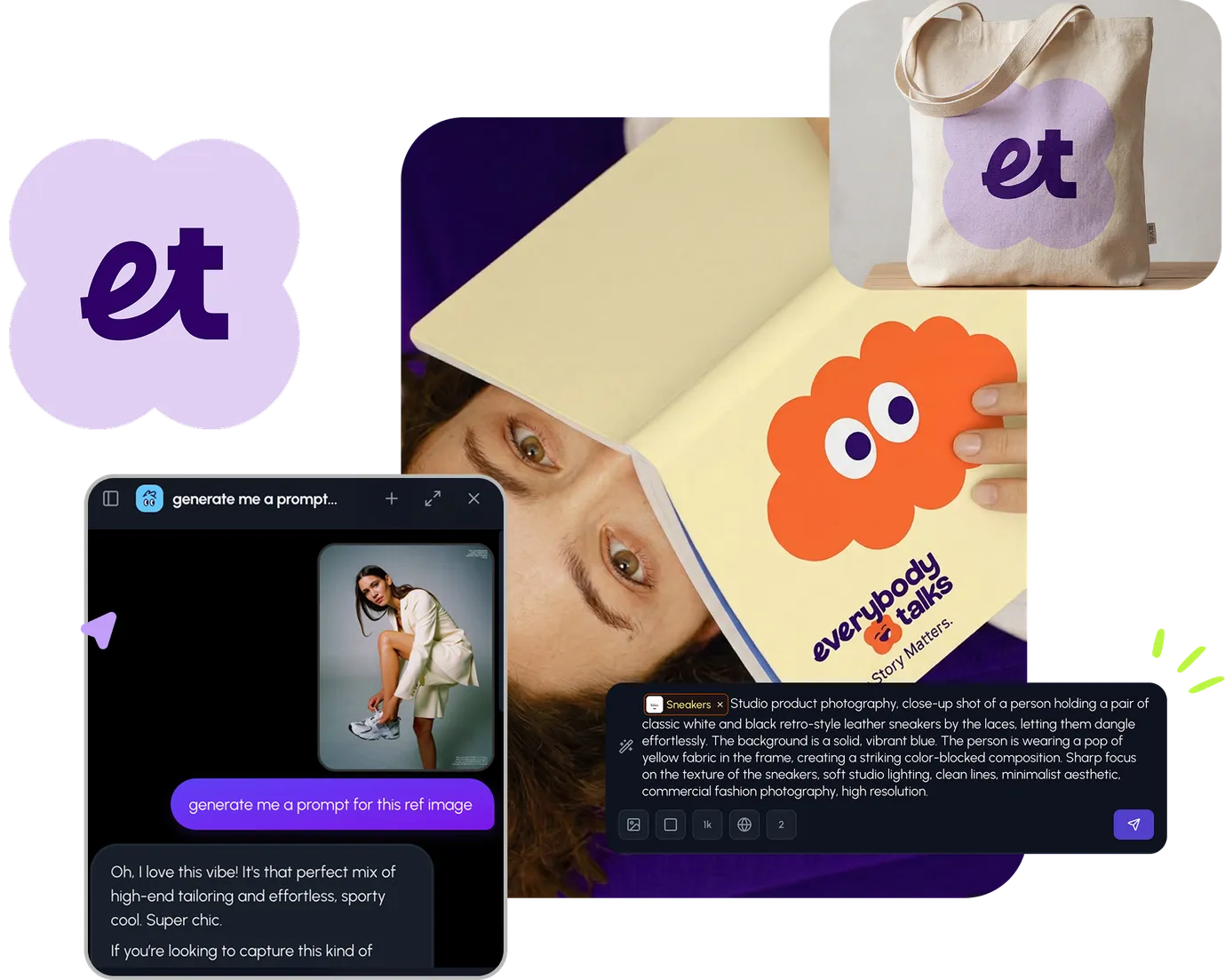
Hiding Elephant product features overview

Explore features

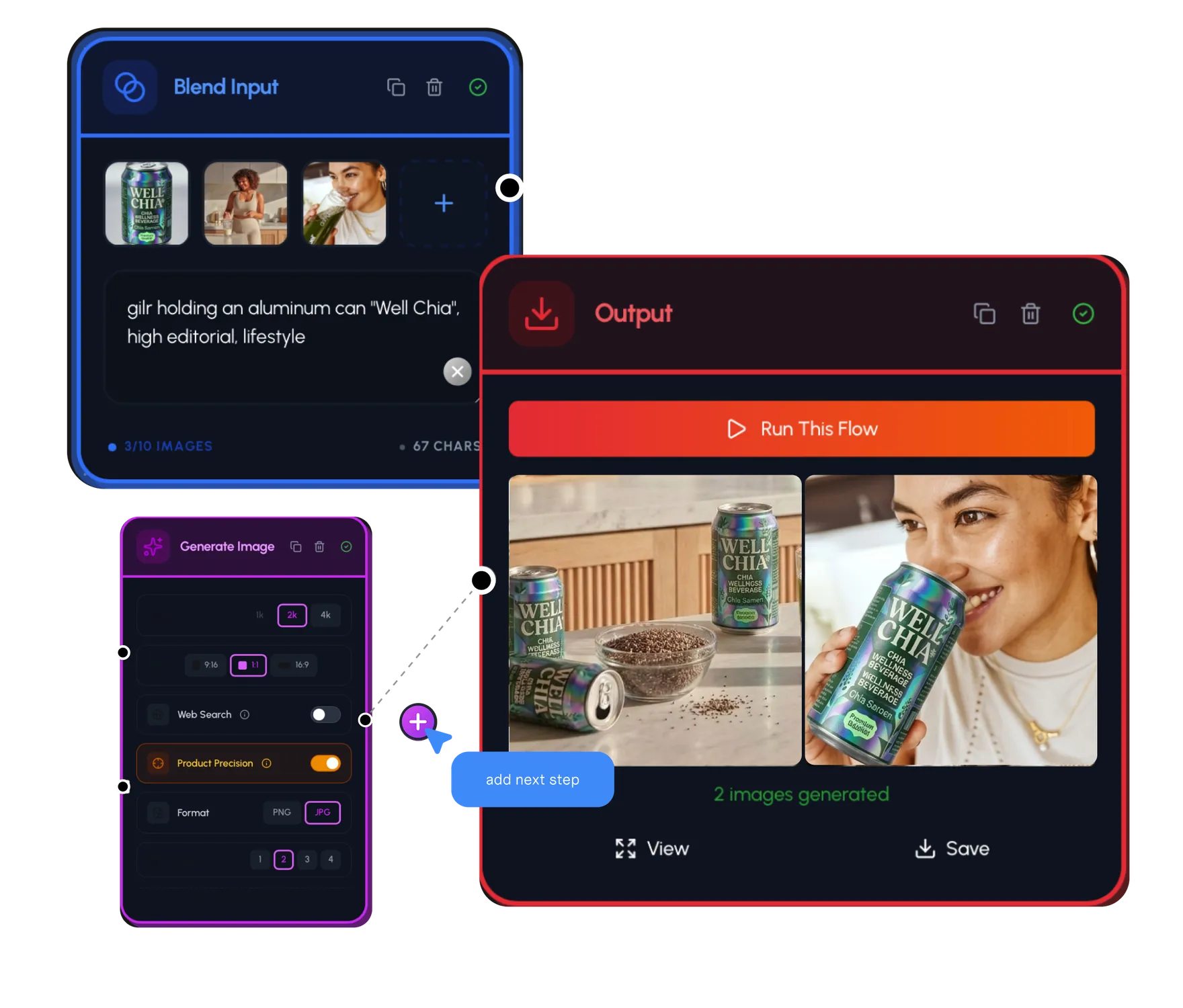
AI generation, vector tools, workflows, catalogs, and collaboration in one workspace.

How Hiding Elephant works

How it works

See how the AI canvas, automation, and teamwork fit together end to end.

Get started with Hiding Elephant

Try it free

Sign in and turn inspiration into projects you can edit, export, and share.

Go from browse to build

Explore what else the Elephant can do.You'll love it

AI image generation

AI Generation

Image tools

Image Tools

Workflow builder

Workflows

Brand and style templates

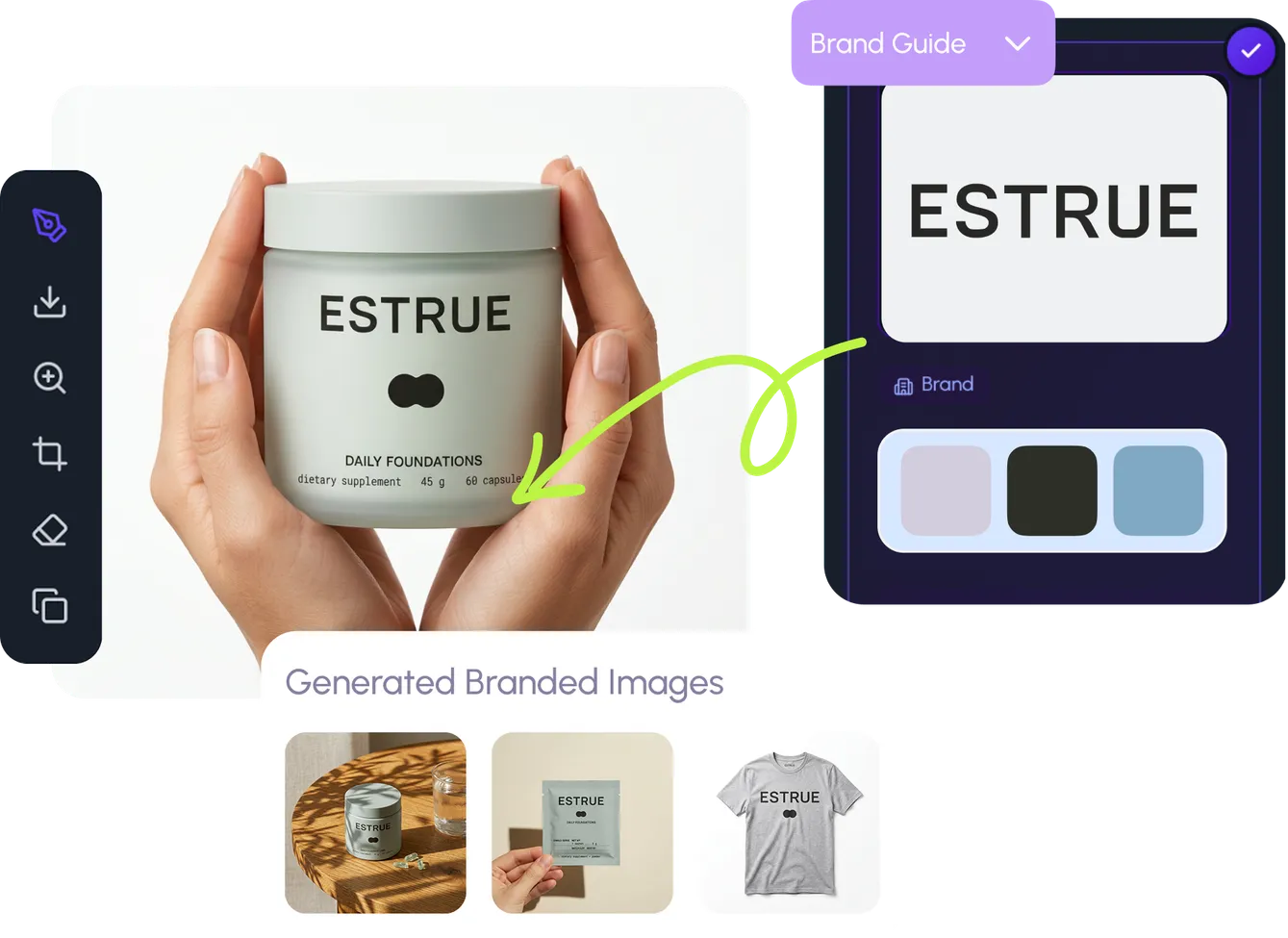
Brand Management

Product catalog

Product Catalog

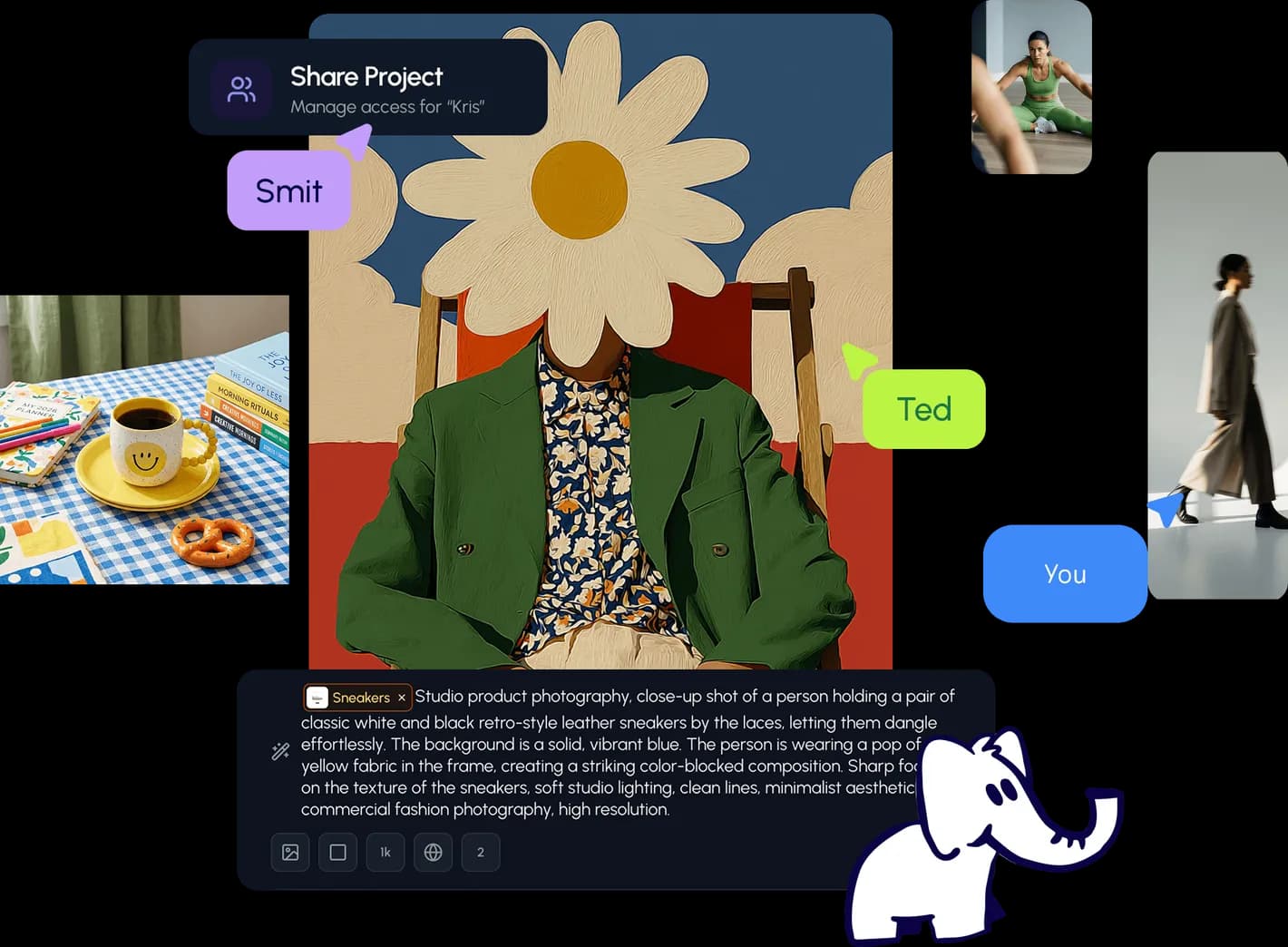
Collaboration

Collaboration

Batch image generation

Batch generation

Explore community

Community workflows

The AI designworkspace forfast-moving ideas.

Product

  • Ellie
  • Apps
  • AI Generation
  • Vector Canvas
  • Image Tools
  • Workflows
  • Brand Management
  • Product Catalog
  • My Assets
  • Collaboration

Use Cases

  • E-commerce teams
  • Design agencies
  • Marketing teams
  • Content creators

Quick tools

  • All quick tools
  • Background Remover
  • Image Upscaler
  • Image Vectorizer
  • Image Optimizer
  • Image Reframer

Resources

  • About
  • Pricing
  • FAQ
  • Compare
  • Enterprise
  • Integrations
  • Explore
  • Blog
  • Case studies
  • Contact Us
  • Book a Demo
  • Affiliates

© 2026 Hiding Elephant. All rights reserved

Cookie PolicyPrivacy PolicyTerms of Service
Hiding Elephant