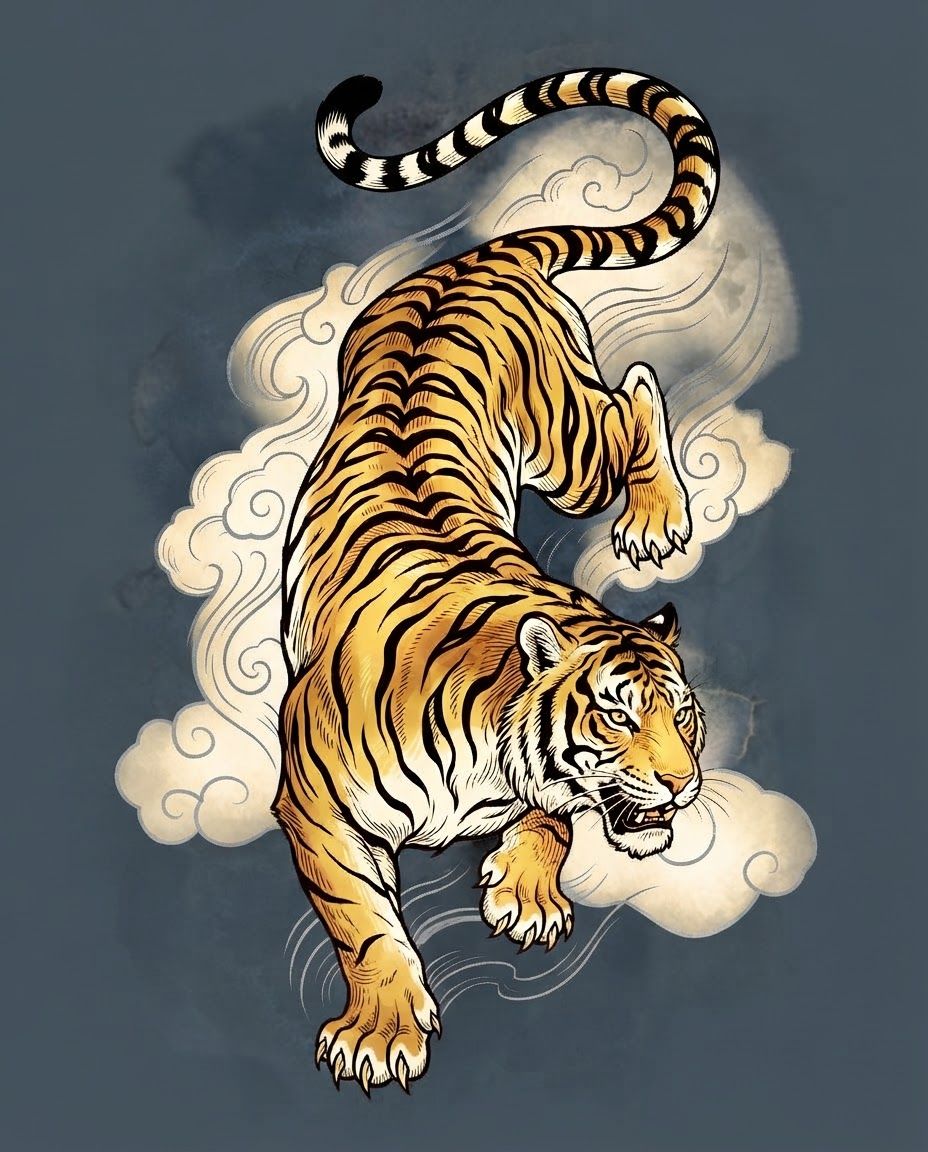
AI image design: make these changes to the tiger design Body/fur: rich golds and warm ambers instead of bright orange-yellow. Think layer…
Community
Design detail

Creator
@Elephant_3756952
make these changes to the tiger design Body/fur: rich golds and warm ambers instead of bright orange-yellow. Think layered #FFD700 (bright gold), #DAA520 / #E5B052 (goldenrod/amber), #C88E4D or #D39F00 (deeper honey/bronze) with subtle highlights and lowlights so it still has dimension. • Stripes: keep solid black (or very deep charcoal) for maximum contrast and traditional punch. • White areas (muzzle, chest, paws, inner ears): pure white or soft cream/ivory so they pop against the gold. • Eyes, nose, mouth: keep fierce and detailed; a touch of gold or warm brown in the eyes can tie it together. • Background: Move away from the current light blue/pink watercolor toward deeper slate blue-gray, or even a soft charcoal with residual watercolor texture and the existing cloud swirls in muted silver, pale gold, or soft white
Remix this design
Start for free with full control over models, settings, and canvas tools.
- Generate with full control over models and settings
- Save projects and share back to the community
- No design experience required
What's next?Explore more features


Go from browse to build