Product
Use Cases
How it Works
Pricing
Developers
Login

AI image design: Professional logo design. Create a logo with a dark cinematic background, simulating the feel of a movie theater. The ce…
Back to community
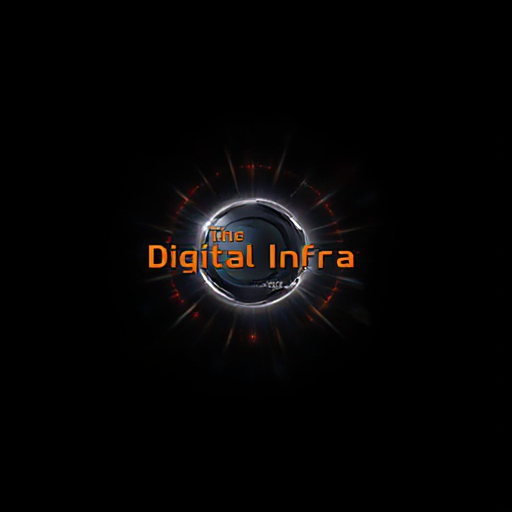
Professional logo design. Create a logo with a dark cinematic background, simulating the feel of a movie theater. The central focus of the logo should be a large, futuristic high-tech projector, facing directly at the viewer. The projector lens should be positioned in the center, with a glowing effect to give it the impression of projecting light.The company name, ‘The Digital Infra’, should be placed inside the projector lens, centered, and slightly overlaid on the lens. The text should appear projected by the lens onto the screen. Use a bold, modern font in bright orange for the company name, ensuring it stands out against the dark background. The text should fit well inside the lens, as if it's being projected by the lens itself.From the projector lens, rays of light should emanate outward. These rays should surround the company name, emphasizing it as though the projector is focusing its beam on it. The rays should have a soft glow, creating a cinematic, dynamic effect.The overall feel should be futuristic and high-tech, with the projector as the primary focal point. The background should be dark, like a movie theater, with subtle gradients or shadows that enhance the sense of depth and dimension, simulating the environment of a projection screen.

Community

Design detail

respe_elephant

Creator

@respe_elephant

Created December 27, 2024
Prompt

Professional logo design. Create a logo with a dark cinematic background, simulating the feel of a movie theater. The central focus of the logo should be a large, futuristic high-tech projector, facing directly at the viewer. The projector lens should be positioned in the center, with a glowing effect to give it the impression of projecting light.The company name, ‘The Digital Infra’, should be placed inside the projector lens, centered, and slightly overlaid on the lens. The text should appear projected by the lens onto the screen. Use a bold, modern font in bright orange for the company name, ensuring it stands out against the dark background. The text should fit well inside the lens, as if it's being projected by the lens itself.From the projector lens, rays of light should emanate outward. These rays should surround the company name, emphasizing it as though the projector is focusing its beam on it. The rays should have a soft glow, creating a cinematic, dynamic effect.The overall feel should be futuristic and high-tech, with the projector as the primary focal point. The background should be dark, like a movie theater, with subtle gradients or shadows that enhance the sense of depth and dimension, simulating the environment of a projection screen.

Remix this design

Start for free with full control over models, settings, and canvas tools.

  • ·Generate with full control over models and settings
  • ·Save projects and share back to the community
  • ·No design experience required
Start free — use this prompt
Browse more community designs →
Start free — remix this

What's next?Explore more features

Hiding Elephant product features overview

Explore features

AI generation, vector tools, workflows, catalogs, and collaboration in one workspace.

How Hiding Elephant works

How it works

See how the AI canvas, automation, and teamwork fit together end to end.

Get started with Hiding Elephant

Try it free

Sign in and turn inspiration into projects you can edit, export, and share.

Go from browse to build

Explore what else the Elephant can do.You'll love it

AI image generation

AI Generation

Image tools

Image Tools

Workflow builder

Workflows

Brand and style templates

Brand Management

Product catalog

Product Catalog

Collaboration

Collaboration

Batch image generation

Batch generation

Explore community

Community workflows

The AI designworkspace forfast-moving ideas.

Product

  • Ellie
  • Apps
  • AI Generation
  • Vector Canvas
  • Image Tools
  • Workflows
  • Brand Management
  • Product Catalog
  • My Assets
  • Collaboration

Use Cases

  • E-commerce teams
  • Design agencies
  • Marketing teams
  • Content creators

Quick tools

  • All quick tools
  • Background Remover
  • Image Upscaler
  • Image Vectorizer
  • Image Optimizer
  • Image Reframer

Resources

  • About
  • Pricing
  • FAQ
  • Compare
  • Enterprise
  • Integrations
  • Explore
  • Blog
  • Case studies
  • Contact Us
  • Book a Demo
  • Affiliates

© 2026 Hiding Elephant. All rights reserved

Cookie PolicyPrivacy PolicyTerms of Service
Hiding Elephant