Product
Use Cases
How it Works
Pricing
Developers
Login

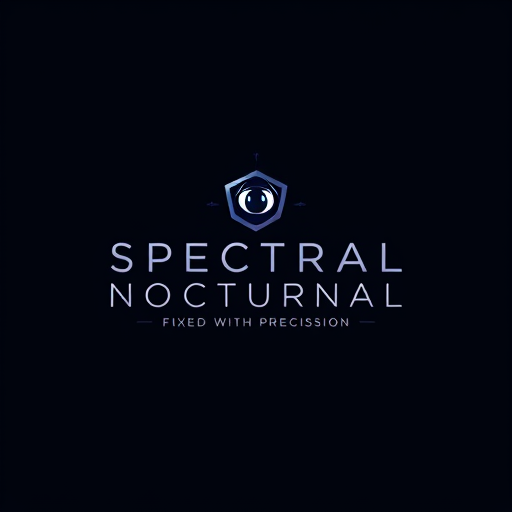
AI image design: Professional logo design. 1. Typography:Font Style: Use a sleek, modern, and slightly elongated typeface for a sense of …
Back to community
Professional logo design. 1. Typography:Font Style: Use a sleek, modern, and slightly elongated typeface for a sense of sophistication. You might want to explore fonts that have clean lines but with subtle edges or corners that give a sense of sharpness and precision.Bold vs. Light Contrast: Consider using bold typography for "Spectral Nocturnal" to convey strength and mystery, and a more delicate, fine font for the tagline ("Built with Vision, Fixed with Precision") to emphasize the precision and craftsmanship.2. Color Scheme:Primary Colors: Deep, dark tones like midnight blue, charcoal black, or dark purple for the "spectral" and "nocturnal" themes.Accent Colors: Subtle metallic accents, such as silver, gunmetal, or soft gold, to represent the precision and high-quality craftsmanship. This color scheme adds elegance and sophistication.Gradient Effect: A gradient or glow effect around the text could evoke a spectral, ethereal glow, subtly referencing "built with vision."3. Symbol/Icon:Eye or Lens Motif: Integrating an abstract eye or lens to represent the "vision" aspect, symbolizing focus and perspective. This could be subtle and abstract, like a circle or an iris-like shape.Geometric Precision Elements: To represent "precision," use geometric shapes like triangles, grids, or thin straight lines that intersect in sharp angles. A minimalistic compass or ruler icon could also be incorporated to represent the technical side.Light and Shadow Play: You could integrate soft, flowing light and shadow effects to reflect the "nocturnal" and "spectral" elements. This could be a glowing light gradient or soft halo around the text or icon.4. Imagery:Night and Mystery: Use abstract, stylized imagery like a moon, subtle cloud, or soft rays of light to evoke the night theme. It should be minimalistic so it doesn't overwhelm the overall design.Sharp Edges/Contrast: Play with the contrast between light and dark areas, perhaps highlighting the precision with sharper edges in the logo, while the "spectral" or "nocturnal" element fades into softer, more ethereal forms.5. Tagline Integration:The tagline "Built with Vision, Fixed with Precision" can be placed below the main logo text in a refined, thin font. You could also experiment with it wrapping around or being incorporated into the edges of the icon for a more integrated feel.

Community

Design detail

unwra_elephant

Creator

@unwra_elephant

Created December 14, 2024
Prompt

Professional logo design. 1. Typography:Font Style: Use a sleek, modern, and slightly elongated typeface for a sense of sophistication. You might want to explore fonts that have clean lines but with subtle edges or corners that give a sense of sharpness and precision.Bold vs. Light Contrast: Consider using bold typography for "Spectral Nocturnal" to convey strength and mystery, and a more delicate, fine font for the tagline ("Built with Vision, Fixed with Precision") to emphasize the precision and craftsmanship.2. Color Scheme:Primary Colors: Deep, dark tones like midnight blue, charcoal black, or dark purple for the "spectral" and "nocturnal" themes.Accent Colors: Subtle metallic accents, such as silver, gunmetal, or soft gold, to represent the precision and high-quality craftsmanship. This color scheme adds elegance and sophistication.Gradient Effect: A gradient or glow effect around the text could evoke a spectral, ethereal glow, subtly referencing "built with vision."3. Symbol/Icon:Eye or Lens Motif: Integrating an abstract eye or lens to represent the "vision" aspect, symbolizing focus and perspective. This could be subtle and abstract, like a circle or an iris-like shape.Geometric Precision Elements: To represent "precision," use geometric shapes like triangles, grids, or thin straight lines that intersect in sharp angles. A minimalistic compass or ruler icon could also be incorporated to represent the technical side.Light and Shadow Play: You could integrate soft, flowing light and shadow effects to reflect the "nocturnal" and "spectral" elements. This could be a glowing light gradient or soft halo around the text or icon.4. Imagery:Night and Mystery: Use abstract, stylized imagery like a moon, subtle cloud, or soft rays of light to evoke the night theme. It should be minimalistic so it doesn't overwhelm the overall design.Sharp Edges/Contrast: Play with the contrast between light and dark areas, perhaps highlighting the precision with sharper edges in the logo, while the "spectral" or "nocturnal" element fades into softer, more ethereal forms.5. Tagline Integration:The tagline "Built with Vision, Fixed with Precision" can be placed below the main logo text in a refined, thin font. You could also experiment with it wrapping around or being incorporated into the edges of the icon for a more integrated feel.

Remix this design

Start for free with full control over models, settings, and canvas tools.

  • ·Generate with full control over models and settings
  • ·Save projects and share back to the community
  • ·No design experience required
Start free — use this prompt
Browse more community designs →
Start free — remix this

What's next?Explore more features

Hiding Elephant product features overview

Explore features

AI generation, vector tools, workflows, catalogs, and collaboration in one workspace.

How Hiding Elephant works

How it works

See how the AI canvas, automation, and teamwork fit together end to end.

Get started with Hiding Elephant

Try it free

Sign in and turn inspiration into projects you can edit, export, and share.

Go from browse to build

Explore what else the Elephant can do.You'll love it

AI image generation

AI Generation

Image tools

Image Tools

Workflow builder

Workflows

Brand and style templates

Brand Management

Product catalog

Product Catalog

Collaboration

Collaboration

Batch image generation

Batch generation

Explore community

Community workflows

The AI designworkspace forfast-moving ideas.

Product

  • Ellie
  • Apps
  • AI Generation
  • Vector Canvas
  • Image Tools
  • Workflows
  • Brand Management
  • Product Catalog
  • My Assets
  • Collaboration

Use Cases

  • E-commerce teams
  • Design agencies
  • Marketing teams
  • Content creators

Quick tools

  • All quick tools
  • Background Remover
  • Image Upscaler
  • Image Vectorizer
  • Image Optimizer
  • Image Reframer

Resources

  • About
  • Pricing
  • FAQ
  • Compare
  • Enterprise
  • Integrations
  • Explore
  • Blog
  • Case studies
  • Contact Us
  • Book a Demo
  • Affiliates

© 2026 Hiding Elephant. All rights reserved

Cookie PolicyPrivacy PolicyTerms of Service
Hiding Elephant