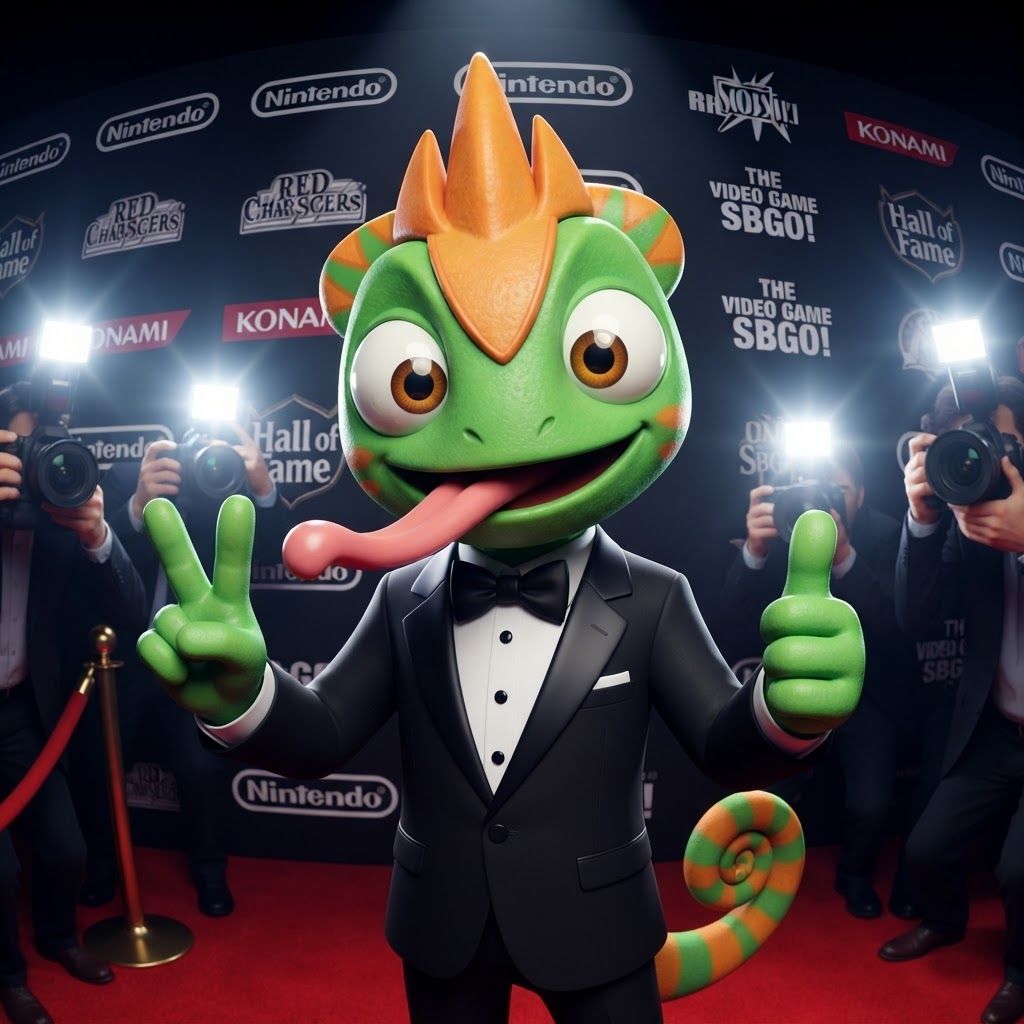
AI image design: Create a polished 3D portrait of Leo, the green-and-orange chameleon mascot from Leo & Tiny, posed like a hugely popular…
Community
Design detail

Creator
@Elephant_8984916
Create a polished 3D portrait of Leo, the green-and-orange chameleon mascot from Leo & Tiny, posed like a hugely popular video game mascot at a prestigious Hall of Fame photoshoot. Do not change Leo's recognizable overall appearance or character design. Keep his green skin, orange markings, expressive eyes, chameleon features, and natural, relatively slim mascot proportions. Avoid making him overly chunky, muscular, or blocky. Dress Leo in a modern black-and-white tuxedo with a crisp white shirt and elegant black bow tie. Make the outfit stylish and slightly cinematic while still fitting his playful video-game character design. Leo is facing the camera with a big cheerful smile, giving an energetic, charismatic celebrity-like pose. His tongue is playfully sticking out as if he's happily singing his signature song, while keeping the expression fun and wholesome. Use dramatic camera flashes, subtle reflections, and a glamorous press-event atmosphere, as though dozens of photographers are taking pictures of a famous gaming mascot. Keep the early-2000s/early-2010s 3D video-game promotional aesthetic: slightly low-poly geometry, clean polygonal forms, modestly glossy materials, expressive character modeling, and polished studio lighting. Add a subtle fisheye/wide-angle lens effect for extra personality. The final image should feel like a legendary promotional photo of a beloved video-game mascot: cool, stylish, playful, nostalgic, and instantly recognizable as Leo.
Remix this design
Start for free with full control over models, settings, and canvas tools.
- Generate with full control over models and settings
- Save projects and share back to the community
- No design experience required
What's next?Explore more features



Go from browse to build




