Product
Use Cases
How it Works
Pricing
Login

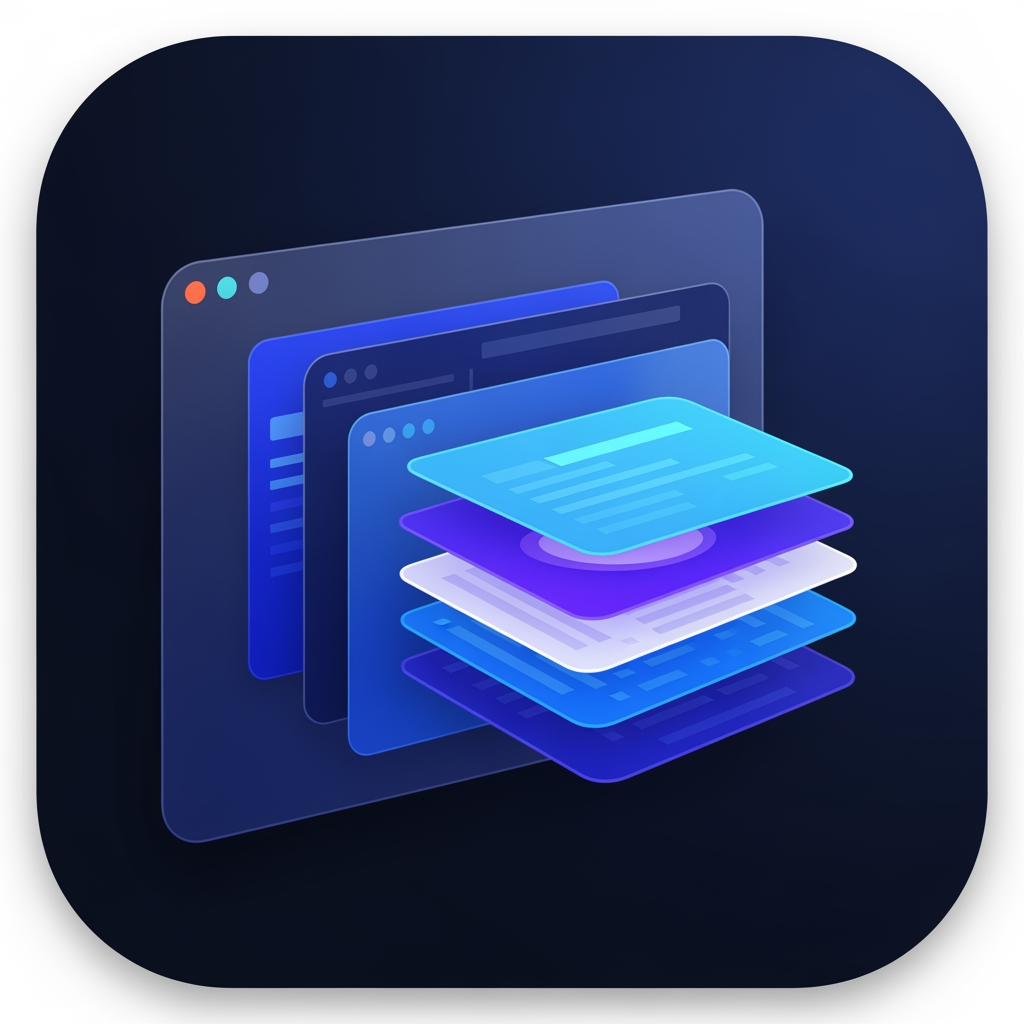
AI image design: # 🎨 DevDock — Premium macOS App Icon Design Prompt Design a world-class, premium macOS application icon for **DevDock*…
Back to community
# 🎨 DevDock — Premium macOS App Icon Design Prompt

Design a world-class, premium macOS application icon for **DevDock**, a professional developer workspace and productivity platform built exclusively for macOS.

The icon should immediately communicate **developer workspace, organization, focus, and intelligence**—not simply "coding."

## Design Philosophy

Create an icon that feels like it belongs alongside Apple's own professional applications such as Xcode, Shortcuts, Console, Activity Monitor, and Finder.

The result should be:

* Premium
* Minimal
* Modern
* Elegant
* Instantly recognizable
* Timeless
* Enterprise-quality
* Native to the macOS ecosystem

The icon must be completely original and suitable for commercial App Store distribution.

---

## Core Concept

The primary visual element should be a **stylized macOS workspace/window** that represents a developer's central workspace.

Instead of emphasizing code symbols, the icon should represent:

* Productivity
* Development workspace
* Organization
* Multiple tools working together
* AI-assisted development
* Professional software engineering

The workspace should be the hero of the design.

---

## Visual Elements

Create a clean composition using a combination of:

* A modern macOS application window
* Layered workspace panels
* Dock-inspired organization
* Subtle modular layout
* Depth through layered glass surfaces
* Very subtle AI intelligence accent (soft glow or minimal sparkle integrated into the workspace)

Developer identity should be implied rather than obvious.

If code elements are included, they should be extremely subtle and secondary—not the focal point.

---

## Do NOT Use

Avoid all common developer clichés:

* Giant </> symbols
* Large terminal prompts
* Robot heads
* Chat bubbles
* Brain illustrations
* Circuit boards
* Hexagons
* Generic AI logos
* Large lightning bolts
* Cartoon artwork
* Flat clipart
* Generic folders
* Letter "D"
* Initials "DD"
* Product name text
* Watermarks

The icon should be recognizable without relying on typography.

---

## Visual Style

* Native macOS aesthetic
* Apple Human Interface Guidelines inspired
* Soft glassmorphism
* Rounded-square macOS app icon
* Elegant layered depth
* Crisp vector artwork
* Soft lighting
* Subtle gradients
* High-quality materials
* Clean geometry
* Balanced composition

The icon should feel handcrafted and premium.

---

## Color Palette

Primary colors:

* Deep Navy
* Indigo
* Royal Blue

Accent colors:

* Cyan
* Electric Blue
* Soft White

Optional subtle accent:

* Violet

Avoid oversaturated or neon colors.

Maintain excellent visibility in both Light Mode and Dark Mode.

---

## Lighting

Use:

* Soft ambient lighting
* Gentle reflections
* Refined highlights
* Premium glass materials
* Smooth depth

Avoid:

* Heavy shadows
* Harsh glows
* Excessive reflections
* Overly dramatic effects

---

## Scalability

The icon must remain sharp and recognizable at:

* 16×16
* 32×32
* 64×64
* 128×128
* 256×256
* 512×512
* 1024×1024

Every size should preserve clarity and identity.

---

## Brand Personality

The icon should communicate:

* Professional
* Intelligent
* Organized
* Fast
* Reliable
* Clean
* macOS-native
* Built for developers

It should look like software created by a company with the design quality of Apple, Linear, Raycast, Notion, or Arc Browser.

---

## Final Goal

Create an iconic, memorable macOS application icon that instantly conveys **"the professional workspace for developers"** rather than simply **"an app for writing code."**

The final result should be elegant, distinctive, premium, and worthy of being the face of DevDock for years to come.

Community

Design detail

Elephant_8502146

Creator

@Elephant_8502146

Created July 10, 2026
Prompt

# 🎨 DevDock — Premium macOS App Icon Design Prompt Design a world-class, premium macOS application icon for **DevDock**, a professional developer workspace and productivity platform built exclusively for macOS. The icon should immediately communicate **developer workspace, organization, focus, and intelligence**—not simply "coding." ## Design Philosophy Create an icon that feels like it belongs alongside Apple's own professional applications such as Xcode, Shortcuts, Console, Activity Monitor, and Finder. The result should be: * Premium * Minimal * Modern * Elegant * Instantly recognizable * Timeless * Enterprise-quality * Native to the macOS ecosystem The icon must be completely original and suitable for commercial App Store distribution. --- ## Core Concept The primary visual element should be a **stylized macOS workspace/window** that represents a developer's central workspace. Instead of emphasizing code symbols, the icon should represent: * Productivity * Development workspace * Organization * Multiple tools working together * AI-assisted development * Professional software engineering The workspace should be the hero of the design. --- ## Visual Elements Create a clean composition using a combination of: * A modern macOS application window * Layered workspace panels * Dock-inspired organization * Subtle modular layout * Depth through layered glass surfaces * Very subtle AI intelligence accent (soft glow or minimal sparkle integrated into the workspace) Developer identity should be implied rather than obvious. If code elements are included, they should be extremely subtle and secondary—not the focal point. --- ## Do NOT Use Avoid all common developer clichés: * Giant </> symbols * Large terminal prompts * Robot heads * Chat bubbles * Brain illustrations * Circuit boards * Hexagons * Generic AI logos * Large lightning bolts * Cartoon artwork * Flat clipart * Generic folders * Letter "D" * Initials "DD" * Product name text * Watermarks The icon should be recognizable without relying on typography. --- ## Visual Style * Native macOS aesthetic * Apple Human Interface Guidelines inspired * Soft glassmorphism * Rounded-square macOS app icon * Elegant layered depth * Crisp vector artwork * Soft lighting * Subtle gradients * High-quality materials * Clean geometry * Balanced composition The icon should feel handcrafted and premium. --- ## Color Palette Primary colors: * Deep Navy * Indigo * Royal Blue Accent colors: * Cyan * Electric Blue * Soft White Optional subtle accent: * Violet Avoid oversaturated or neon colors. Maintain excellent visibility in both Light Mode and Dark Mode. --- ## Lighting Use: * Soft ambient lighting * Gentle reflections * Refined highlights * Premium glass materials * Smooth depth Avoid: * Heavy shadows * Harsh glows * Excessive reflections * Overly dramatic effects --- ## Scalability The icon must remain sharp and recognizable at: * 16×16 * 32×32 * 64×64 * 128×128 * 256×256 * 512×512 * 1024×1024 Every size should preserve clarity and identity. --- ## Brand Personality The icon should communicate: * Professional * Intelligent * Organized * Fast * Reliable * Clean * macOS-native * Built for developers It should look like software created by a company with the design quality of Apple, Linear, Raycast, Notion, or Arc Browser. --- ## Final Goal Create an iconic, memorable macOS application icon that instantly conveys **"the professional workspace for developers"** rather than simply **"an app for writing code."** The final result should be elegant, distinctive, premium, and worthy of being the face of DevDock for years to come.

Remix this design

Start for free with full control over models, settings, and canvas tools.

  • ·Generate with full control over models and settings
  • ·Save projects and share back to the community
  • ·No design experience required
Start free — use this prompt
Browse more community designs →
Start free — remix this

What's next?Explore more features

Hiding Elephant product features overview

Explore features

AI generation, vector tools, workflows, catalogs, and collaboration in one workspace.

How Hiding Elephant works

How it works

See how the AI canvas, automation, and teamwork fit together end to end.

Get started with Hiding Elephant

Try it free

Sign in and turn inspiration into projects you can edit, export, and share.

Go from browse to build

Explore what else the Elephant can do.You'll love it

AI image generation

AI Generation

Image tools

Image Tools

Workflow builder

Workflows

Brand and style templates

Brand Management

Product catalog

Product Catalog

Collaboration

Collaboration

Batch image generation

Batch generation

Explore community

Community workflows

The AI designworkspace forfast-moving ideas.

Product

  • AI Generation
  • Vector Canvas
  • Image Tools
  • Workflows
  • Brand Management
  • Product Catalog
  • My Assets
  • Collaboration

Use Cases

  • E-commerce teams
  • Design agencies
  • Marketing teams
  • Content creators

Quick tools

  • All quick tools
  • Background Remover
  • Image Upscaler
  • Image Vectorizer
  • Image Optimizer
  • Image Reframer

Resources

  • About
  • Pricing
  • FAQ
  • Compare
  • Enterprise
  • Explore
  • Blog
  • Contact Us
  • Book a Demo
  • Affiliates

© 2026 Hiding Elephant. All rights reserved

Cookie PolicyPrivacy PolicyTerms of Service
Hiding Elephant







